Project P.I.T.T. Full Walkthrough
From first duck to later products — a four-phase intern plan that survives phase shifts.
This full walkthrough is the post-launch intern plan for Project P.I.T.T. The free demo still exists, but the paid game is the four-phase job: rubber ducks, then stranger products, then assembly logic, then a Maw large enough to swallow the funnels you were proud of. Use this page as a structured shift. Pair it with Getting Started for the first twenty minutes and with Demo Walkthrough if you only want phase one. When products change, jump to Later Products instead of forcing duck physics onto cash registers.
Project P.I.T.T. is single-player. Your save is a personal factory. There is no correct conveyor — Froke has said the game will not ship traditional belts, only tools so you invent your own. Hand-feeding remains legal comedy. The walkthrough below assumes you want throughput and combo payouts without turning the facility into a lag sculpture.
Phase one: ducks, hands, then a triangle
Clock in through the elevator. Buy jump, throw, and sprint when you can afford them; the terminal gates mobility behind a few dollars on purpose. Craft rubber ducks at the manual workbench, carry them to The Maw, and learn a clean release. Combo audio is the real tutorial: rhythmic dumps pay more than heroic single tosses. After a handful of successful feeds, buy Sticky tools before you buy a wall of fans. Panels that stay put are the difference between a joke and a line.
A first machine should be a triangle: spawn or drop, one directing tool (fan or magnet), Maw mouth. Watch two untouched cycles. If ducks escape behind the pit, add a backboard of panels — GrayStillPlays-style fan-into-backboard is a proven early pattern, not a speedrun secret. Boxes help bulk dumps; they also tip. See Boxes and Containers before you treat every crate as a cannonball.
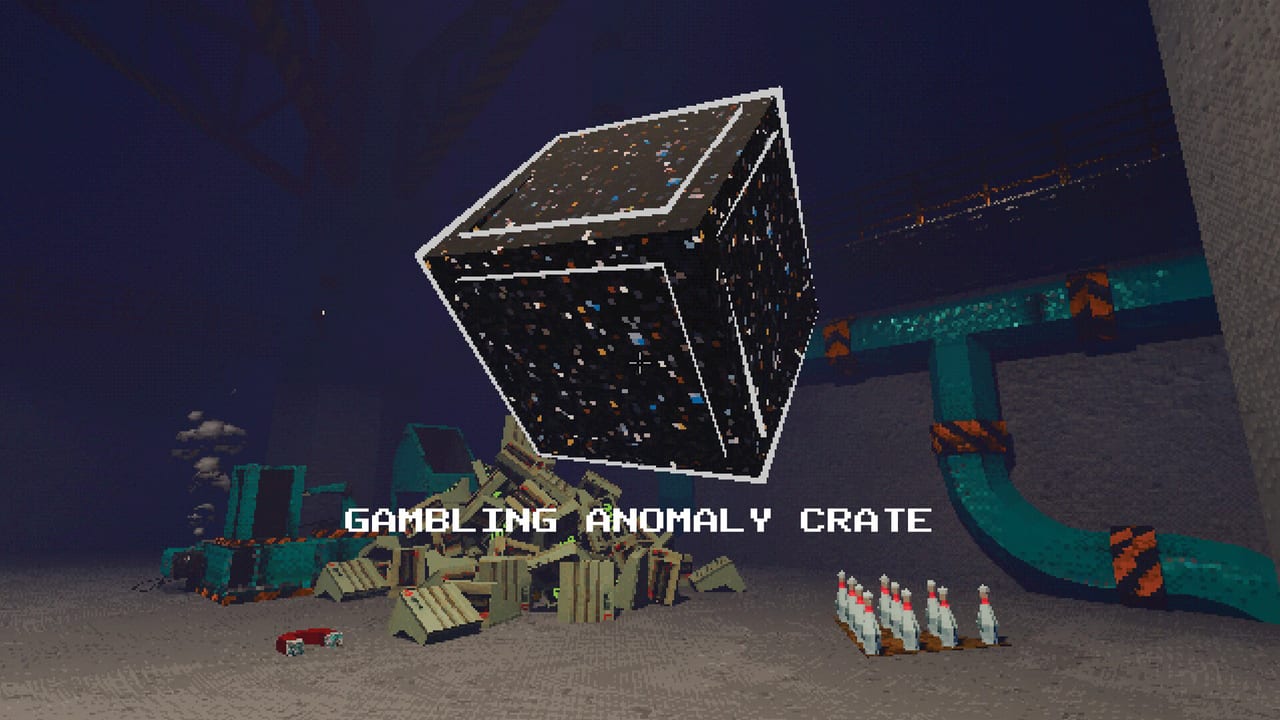
Unlock progression after demo 0.2.8 means the terminal starts empty. Feed The Maw, place varied tools, land distance throws, and read graffiti. Unlock Progression explains New tags so you do not assume the shop is broken. Gambling crates already exist in phase one; they should not spawn tools you have not unlocked. Treat them as spicy bonuses, not a plan.
Phase two: the pit grows and the job changes
When the game announces a later phase, stop adding duck fans for a minute. The Maw expanding is not only spectacle — sightlines, bounce angles, and “safe” floors move. A funnel aimed at the old yellow ring will miss. Walk the facility empty-handed, note new workbenches, and only then rebuild. Phase two is where many players first meet products that are not ducks. Cash registers have their own workbench; they are heavier, more valuable, and less willing to ride a duck-tuned fan.
Do not delete every duck lane on day one of phase two. Run a dual economy: keep a cheap duck stream for combo uptime while you learn register craft speed. Combo windows care about rhythm more than species, but mass changes jam risk. Magnets that were cute on rubber become load-bearing on metal-adjacent props. Rank spends with the Tools Tier List after each unlock wave.
Phase three: registers, debris history, and rebuilds
Launch-week Phase 3 included a scripted event that dropped immovable debris onto automation. That event is removed — see Launch Notes. If your old save still has wreckage, trash what you can and rebuild; do not wait for a second rockfall. Phase three is still a product and space shift. Players reported cash-register paths, cushioned panels, pistons, and fans working until the room changed under them. Your job is to treat every phase banner as a rebuild checkpoint, not a victory lap.
Slick panels (conveyor-like surfaces) and cushion panels (soft landings) were implemented for the full game. Use slick surfaces to replace the “fan spam” that melts Steam Deck CPUs. Use cushions where products explode or bounce — piñatas in later phases are the obvious customer. Physics Tools and Golf Club and Remote cover gadgets; remotes help you toggle a bank of tools without jogging every station when the pit lip moves.
Phase four and endgame posture
Public messaging describes four phases, six-to-ten-hour runs, and assembly: objects connecting in unexpected ways. Do not expect a traditional story dungeon. The satire lives in posters, cameras, and a pit that never says thank you. Endgame play is combo mastery, gambling crate completion, and buying the terminal empty — that last loop is also an achievement. See Achievements for named trophies such as KACHING (cash register), FIESTA (piñata), WEIRD (anomaly), GAMBLING (all crates), RICH (absurd money), FAST (400 products per minute), and CONSUMERISM (buy everything).
If you are hunting FAST, thin the simulation: fewer overlapping magnets, fewer loose piles, LOW graphics, retro off. Four hundred products per minute on a crowded floor is a CPU problem disguised as a skill problem. Performance Settings and Steam Deck exist so you do not brick a handheld run during the trophy hunt.
Suggested session checklist
- Confirm controls on Controls or Controller Guide.
- Stabilize a three-device duck triangle and one combo string (How to Chain Combos).
- Unlock Sticky panels before exotic launchers (Upgrades).
- When a phase banner hits, walk the room, then rebuild one lane at a time.
- Add later products on a side line before they replace ducks entirely.
- After Phase 3, verify you are on the patched build so debris events stay gone.
- Use Tips and Secrets for height countdown pillars, flying-with-objects (a kept bug), and lighting via new machines.
What this walkthrough will not do
It will not give pixel-perfect panel coordinates. Physics sandboxes punish copied blueprints the moment mass changes. It will not invent achievement descriptions Valve hid. It will not pretend PS5 is a current platform. It will send you back to Automation Builds for layout recipes and to Updates when Froke patches another phase interaction.
Finish the shift. Feed The Maw. Rebuild when the floor moves.
Frequently Asked Questions
Quick answers about the full game, The Maw, and day-one patches.
Does this walkthrough replace the demo walkthrough?
No. Use Demo Walkthrough for phase one only. This page covers the four-phase paid game and when to rebuild after each Maw growth.
Should I tear down my duck factory in phase two?
Not immediately. Keep a duck combo line while you learn cash registers on a side path. Rebuild angles when the pit lip moves.
Is Phase 3 still going to destroy my automation?
The scripted debris event was removed after launch. Update the game. You still rebuild when products and space change.
How long is a full run?
Public estimates sit around six to ten hours. Optimizers and trophy hunters run longer; messy hand-feeders can finish faster.