Project P.I.T.T. Panel Rack Upgrade
Carry more panels at once — the multi-level upgrade that ends the walk-of-shame for every solo panel.
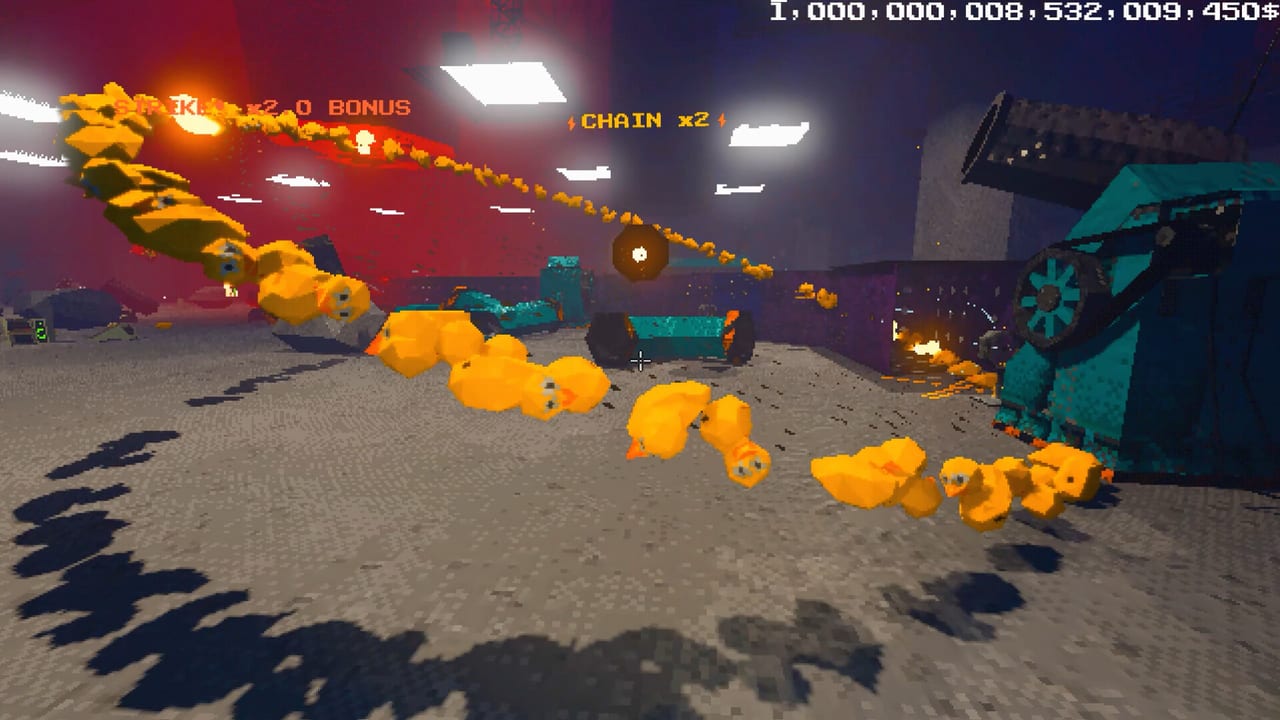
Update 1.0.5 added the Panel Rack upgrade, and it solves a problem every intern eventually hits: you place one panel, walk back to the stack, grab another, place it, walk again, and The Maw grows while you turn into a panel sherpa. Panel Rack is a multi-level upgrade that lets you carry multiple panels simultaneously, cutting the fetch-and-place loop from a cardio class into a fluid routing session.
What Panel Rack does
Before Panel Rack, carrying panels meant one at a time. That is fine for a single lane but becomes absurd when you are building multi-room funnels, cushioned piñata containment, or slick-surface corridors that need six or eight panels before the first product even enters the line. Panel Rack solves the logistics tax.
The upgrade has multiple levels. Each level adds panel capacity to your carry limit. Level one might let you grab two at once; higher levels scale upward. Exact numbers depend on Froke’s current tuning — check the terminal shop after updating to 1.0.5 to see the full level curve.
How to unlock Panel Rack
Panel Rack appears in the upgrade terminal after Update 1.0.5. If you do not see it, verify your build is current in Steam. The upgrade costs Maw-feeding currency like other sticky and convenience tools. Feed combos to afford it faster; single feeds still fund it but slower.
Why Panel Rack changes layout philosophy
With one panel at a time, you build conservatively: short lanes, minimal detours, anything to avoid the walk back. With Panel Rack, you can plan larger structures. Multi-room funnels, parallel lanes, and complex cushioned zones become realistic because you are not spending half your play session walking.
This shifts the automation mindset described in How to Automate and Automation Builds. Before Panel Rack, efficiency meant minimal panels. After Panel Rack, efficiency means planning the full corridor before you start placing, then building it in a rapid bulk session — because you can.
Combining Panel Rack with sticky upgrades
Panel Rack is not a replacement for sticky upgrades. A sticky panel stays where you put it; a Panel Rack just carries more of them to the right spot faster. Prioritize sticky upgrades for your core lane tools first, then invest in Panel Rack to accelerate new construction.
For spend order, see the Early Upgrades Tier List. Panel Rack is a convenience multiplier that makes every subsequent build faster; it does not replace the fundamental sticky-first philosophy.
Clear Items button: your crash recovery tool
Update 1.0.5 also added a Clear Items button in the pause menu. If your facility accumulates stuck objects that cause crashes or unplayable states — a duck wedged in geometry, a box that spawned inside a wall, or physics objects that refused to despawn — Clear Items removes them. It does not refund the currency spent on those items.
Use Clear Items when:
- Physics objects are frozen or jittering in a way that tanks performance
- An item spawned inside geometry and cannot be retrieved
- The facility has too many loose objects for the CPU to simulate cleanly
Clear Items is not a reset. It does not remove your placed panels or tools. It removes loose products that are cluttering the simulation. Combine it with the lag-reduction habits in Tips and Secrets and Performance Settings.
Practical Panel Rack workflow
- Buy the first Panel Rack level from the terminal
- Walk to your panel storage with empty hands
- Approach the stack and grab — you now carry multiple panels
- Walk to your target zone and place panels in sequence
- Return for more without the solo-panel walk-of-shame
This workflow pairs well with the remote trigger habits from Golf Club and Remote. Build more, walk less, keep The Maw fed.
Cross-links
- Sticky upgrade philosophy: Upgrades
- Full tool catalog: Physics Tools
- Build recipes: Automation Builds
- Performance fixes: Performance Settings
- Troubleshooting: Tips and Secrets
Panel Rack and Clear Items are the quality-of-life pair that makes late-phase building less frustrating and more creative. Update your game, buy the rack, and start building the funnel you have been designing in your head but could never justify the walking time for.
Frequently Asked Questions
Quick answers about the full game, The Maw, and day-one patches.
What is the Panel Rack upgrade in Project P.I.T.T.?
A multi-level upgrade that lets you carry multiple panels at once instead of one at a time, eliminating the constant walk back to the panel stack.
How do I unlock Panel Rack?
Update to 1.0.5, then find it in the upgrade terminal. It costs Maw-feeding currency like other convenience upgrades.
What does the Clear Items button do?
Removes loose items that are causing crashes or performance issues from the pause menu. It does not refund currency or remove placed tools.
Does Panel Rack replace sticky upgrades?
No. Sticky upgrades keep panels in place; Panel Rack just lets you carry more of them faster. Sticky first, Panel Rack second.
When should I use Clear Items?
When objects are stuck in geometry, spawning incorrectly, or creating CPU-hogging physics pileups that lag the facility.