Project P.I.T.T. Slick and Cushion Panels
The two new panel types that replace fan spam and save piñata runs from self-destruction.
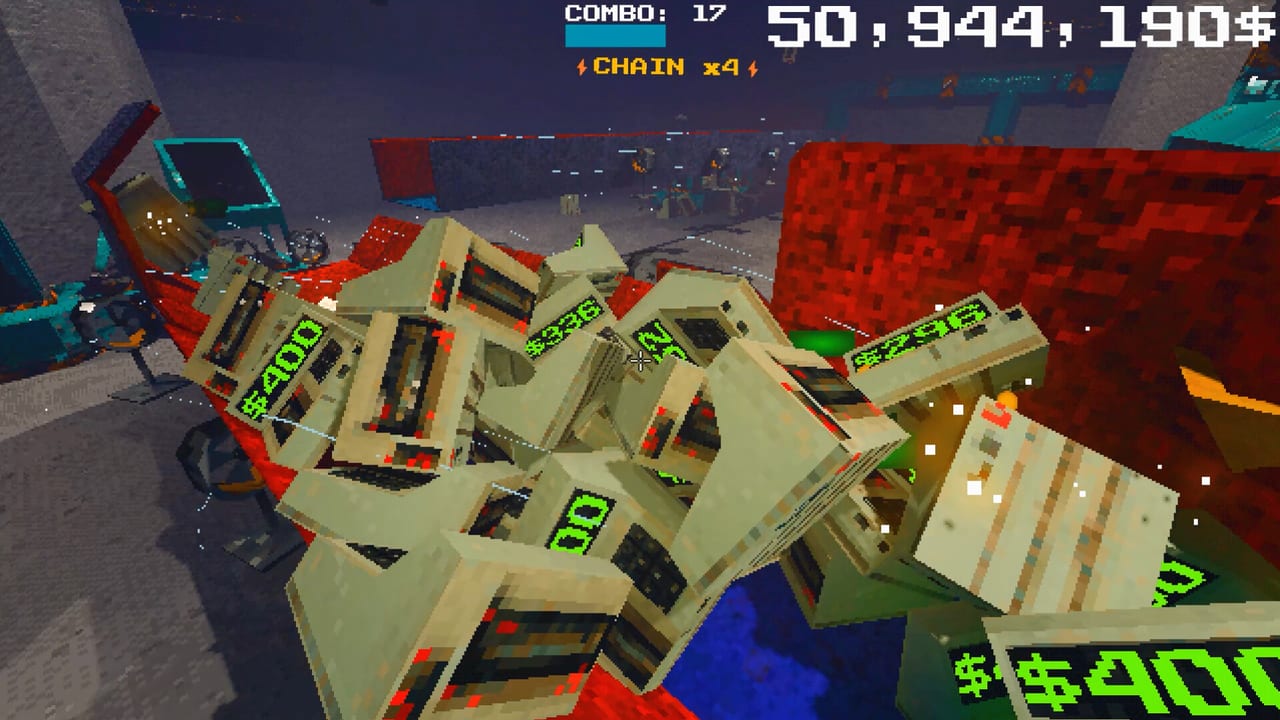
The full August 19, 2026 release brought two new panel types that change how you think about product routing: slick panels and cushion panels. Both exist in the terminal alongside regular panels. Neither replaces sticky upgrades — they add directional intelligence to surfaces that regular panels lack.
Slick panels behave like conveyors: products slide across them with reduced friction in a predictable direction. Cushion panels absorb impact: products land softly, bounce less, and settle where you put them instead of careening into adjacent automation or off into corners where they become lag-creating orphans. These are not cosmetic variants. They are the tools that let piñata runs survive their own explosions and let duck-and-box lines run on CPU-friendly geometry instead of fan spam.
Slick panels: the conveyor replacement
Before slick panels, the common answer to “how do I move products continuously?” was “more fans.” Fan spam works — a wall of fans pushes product down a corridor — but it is also a CPU party. Every fan blade, every collision, every product-fan interaction is a physics calculation. A line with eight fans is simulating eight extra rigid bodies worth of interaction.
Slick panels move products with surface behavior instead of air pressure. A product placed on a slick panel slides in the panel’s direction without ongoing fan physics. The simulation cost is dramatically lower. This matters most for Steam Deck players and anyone chasing FAST (400 products per minute) on a moderate CPU.
Use slick panels to:
- Replace long fan corridors in duck or box lines
- Create predictable product slides in multi-room funnels
- Build gravity-assisted routes where products naturally accelerate on slopes
- Reduce the magnet count needed for directional control
Slick panels still follow physics. A product will still tumble, tip, or fall off the edge if the panel geometry is not planned. Think of slick panels as assisted rolling, not belts — you still need to design the approach and catch zones.
Cushion panels: the piñata protector
Piñatas burst into shrapnel. That shrapnel needs somewhere to go, or it becomes debris that kills your combo lane and your frame rate. Cushion panels absorb impact: products landing on them settle instead of bouncing into adjacent automation or off into corners where they become lag-creating orphans.
The FIESTA achievement (unlock piñata) is when most players first feel the need for cushions. A piñata burst in a tight duck corridor scatters debris everywhere. With cushion panels:
- Piñata shrapnel settles in a controlled zone
- The combo lane stays clean enough for continued chain audio
- Recovery time after a FIESTA drop drops from minutes to seconds
Cushion panels also work for late-game products that are heavier or more fragile in their physics behavior. Anomalies and assembly products may benefit from cushioned landing zones even when normal panels would suffice.
Combining slick and cushion panels
A strong late-phase line might look like:
- Slick panel corridor to move products from spawn to the piñata zone
- A cushion-panel containment area around piñata workbenches
- Another slick section from the containment zone to The Maw approach
- Regular panels for the final Maw funnel and recovery shelves
This hybrid approach uses slick for efficiency, cushions for controlled chaos, and regular panels for precision routing. See Automation Builds for full recipes.
Slick and cushion versus regular panel behavior
| Panel Type | Surface Behavior | Best For | CPU Cost |
|---|---|---|---|
| Regular | Static, friction-affected | Precision routing, Maw funnel | Low |
| Slick | Low-friction directional slide | Long corridors, gravity feeds | Very Low |
| Cushion | Soft landing, reduced bounce | Piñata containment, fragile products | Low |
Sticky upgrades apply to all panel types. A sticky slick panel still slides in its direction; a sticky cushion panel still absorbs impacts. Sticky behavior is independent of surface type.
Cross-links
- Full tool catalog: Physics Tools
- Build recipes: Automation Builds
- Later products (includes piñatas): Later Products
- Upgrade priorities: Upgrades
- Tier list: Tools Tier List
Slick and cushion panels are the facility intelligence that lets you stop relying on fan spam and start relying on geometry. Once you build with them, you will understand why veterans called them the most important full-game additions.
Quick reference
- Slick = conveyor-like low-friction slide, replaces fans for efficiency
- Cushion = soft landing, controls bounce for piñata shrapnel and fragile items
- Both reduce CPU load compared to fan-equivalent automation
- Sticky upgrades apply to both types independently
- Build hybrid routes: slick for transport, cushions for containment, regular for precision
Frequently Asked Questions
Quick answers about the full game, The Maw, and day-one patches.
What are slick panels in Project P.I.T.T.?
Low-friction panels that let products slide in a predictable direction like a conveyor, replacing the CPU cost of fan-based corridors.
What are cushion panels for?
Soft-landing panels that absorb impact and reduce bounce, essential for piñata containment and protecting combo lanes from shrapnel.
Do sticky upgrades work on slick and cushion panels?
Yes. Sticky behavior is independent of panel type — it keeps any panel in place regardless of surface behavior.
Can I use slick panels to replace all my fans?
For directional transport, yes. For burst propulsion and curve correction, you still need fans, magnets, and pistons.
Why do cushion panels matter for achievements?
Cushion panels are what makes FIESTA (piñata) runs survivable for your combo lane and frame rate.